Agent
Describe the outcome you need. The agent selects systems, proposes the steps, tests the workflow, and lets you review it before saving.
A tool is a reusable workflow that receives inputs, runs request or transform steps in sequence, and returns a result. In an implementation, the agent builds tools for you.
This page explains what the agent builds and how to refine it by hand. Saved tools can run on demand, on a schedule, through a webhook, from the SDK, or as MCP tools.
There are three ways to work with a tool.
Agent
Describe the outcome you need. The agent selects systems, proposes the steps, tests the workflow, and lets you review it before saving.
Tool editor
Build or refine the workflow in the Tools area. Configure inputs, request and transform steps, test data, and the final output.
SDK or REST API
Execute a saved tool from an application or script. Tool creation and editing are usually done with the agent or tool editor.
Describe the outcome you need. For example:
Create a tool that finds active Stripe customers and returns their IDs and email addresses.For a multi-step workflow, describe the sequence and the result you want:
Find HubSpot contacts whose email domain is company.com, update their lifecycle stage to customer,and return the contacts that were changed.To execute an existing tool with the JavaScript SDK:
npm install @superglue/clientimport { configure, getTool, listTools, runTool } from "@superglue/client";
configure({ baseUrl: "https://api.superglue.cloud/v1", apiKey: "YOUR_API_KEY",});
const tools = await listTools({ page: 1, limit: 50 });const tool = await getTool("customer-sync");const run = await runTool(tool.id, { inputs: { customerId: "cus_123", },});
console.log(tools.data);console.log(run.status, run.data);Every tool has a contract, steps, and an output.
Contract
The instruction explains the tool’s purpose. The input schema describes accepted inputs, and the output schema defines the required final result.
Steps
Request steps call HTTP APIs, databases, or file servers. Transform steps reshape data without making an external request.
Output
An output transform selects and reshapes the accumulated step data before the runtime validates it against the output schema.
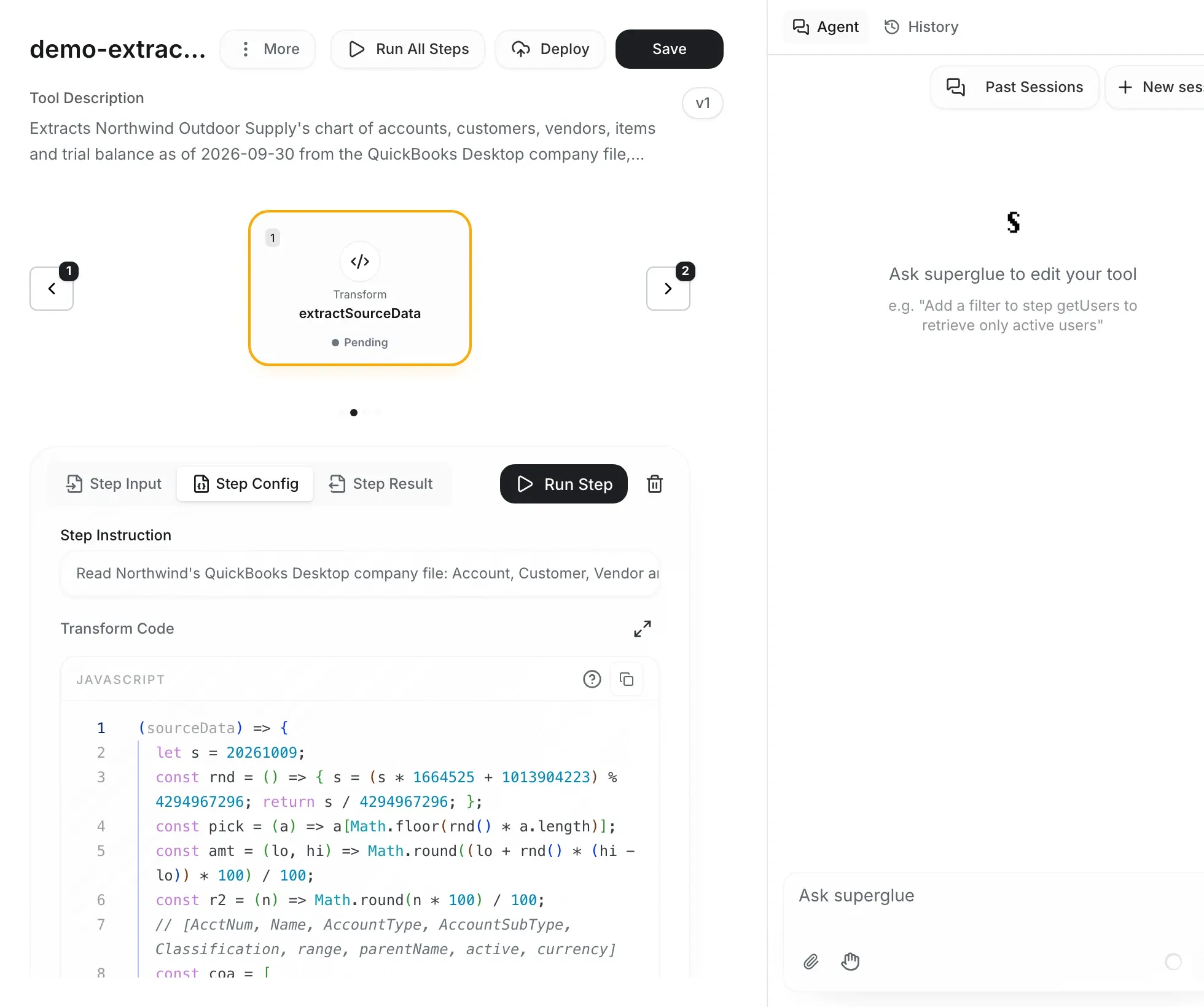
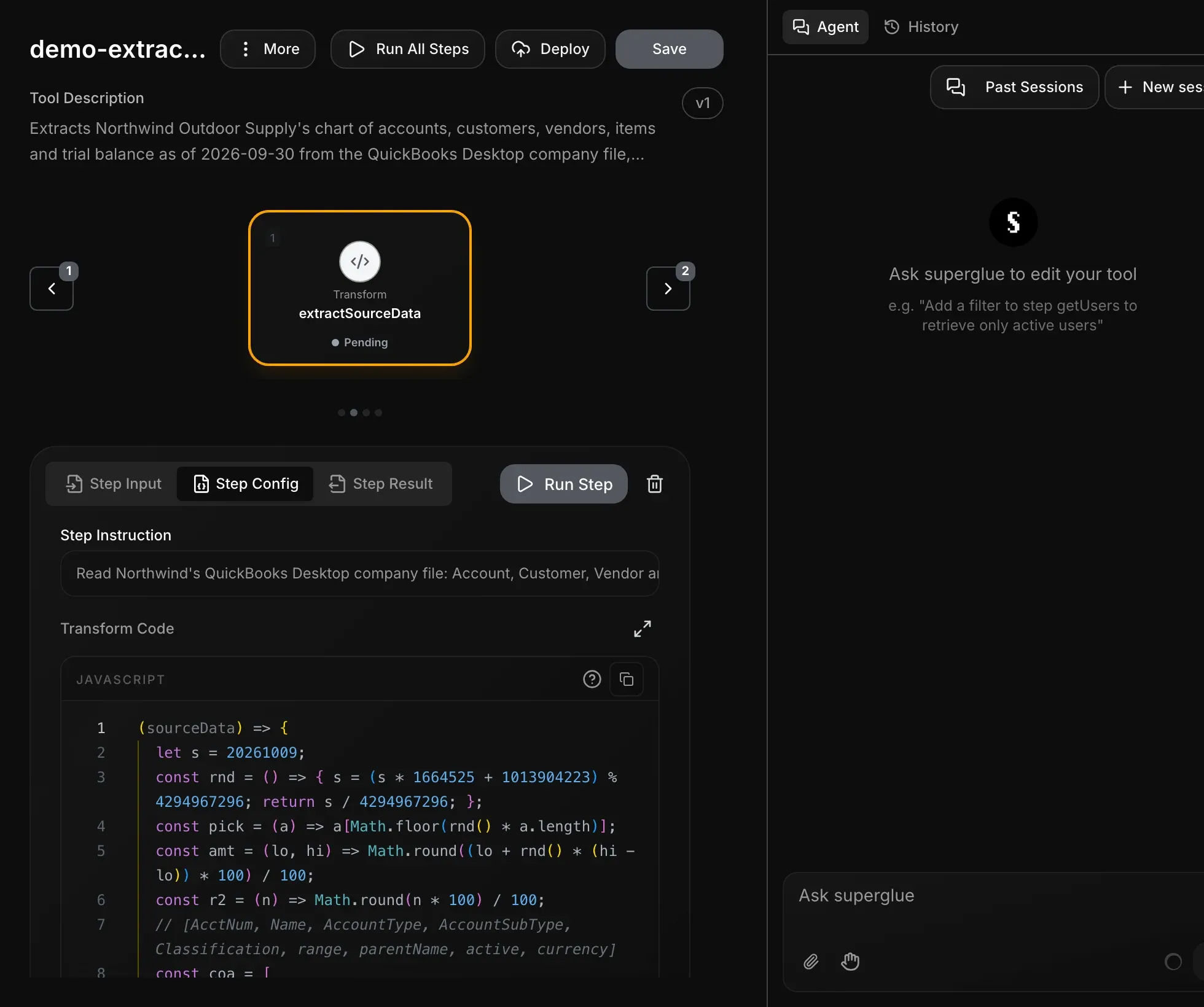
Each run goes through four stages.
Initialize the execution context
Tool inputs become top-level properties of sourceData. Uploaded files are available through the runtime file context.
Run steps in order
Each step receives the original inputs plus results from earlier steps. Request steps resolve connection secrets only when the call executes.
Store each step result under its ID
A normal step produces one result envelope. A step whose data selector returns an array produces an array of envelopes.
Build and validate the final result
The output transform receives the complete sourceData object. If an output schema is configured, a mismatch fails the run.
Saved tools can keep small checkpoints between runs in sourceData.persistedState. In a transform, change individual keys. Do not replace the state object:
(sourceData) => { sourceData.persistedState.cursor = sourceData.fetchOrders.data.nextCursor; return sourceData.fetchOrders.data.items;};Common uses include:
State changes are stored only after the workflow and its run record complete successfully. These events leave the previous state unchanged:
A step with failureBehavior: "continue" does not fail the run. Earlier state changes can still commit when the remaining workflow succeeds.
The playground’s Tool Input & State card shows a saved tool’s current production state as read-only JSON. Playground runs do not use or update this state.
A tool’s first saved run starts with an empty object. Use GET /v1/tools/{toolId}/state to inspect state and DELETE /v1/tools/{toolId}/state to reset it.
A request step identifies the system and contains the protocol-specific request configuration:
const getCustomerStep = { id: "getCustomer", instruction: "Fetch one Stripe customer", config: { type: "request", systemId: "stripe", method: "GET", url: "https://api.stripe.com/v1/customers/<<customerId>>", headers: { Authorization: "Bearer <<stripe_apiKey>>", }, },};type: "request" is optional for stored request steps and is added during normalization. systemId selects the connection used for the step.
For HTTP requests, headers and queryParams are objects and body is a string. Encode JSON request bodies with JSON.stringify:
const updateCustomerStep = { id: "updateCustomer", config: { type: "request", systemId: "stripe", method: "POST", url: "https://api.stripe.com/v1/customers/<<customerId>>", headers: { Authorization: "Bearer <<stripe_apiKey>>", "Content-Type": "application/json", }, body: JSON.stringify({ metadata: { requestedBy: "<<requestedBy>>", }, }), },};Templates support direct top-level variables and arrow-function expressions:
| Value | Syntax |
|---|---|
| Tool input | <<customerId>> |
| System secret | <<stripe_apiKey>> |
| Nested step result | <<(sourceData) => sourceData.getCustomer.data.id>> |
| Current loop item | <<(sourceData) => sourceData.currentItem.id>> |
| Computed value | <<(sourceData) => sourceData.items.length>> |
Direct lookup works only for top-level keys. Use (sourceData) => ... for nested properties and computed values.
A data selector runs before its step. When it returns an array, the runtime executes the request once for each item, up to 10,000 items per loop. Each item is available as sourceData.currentItem:
const updateCustomersStep = { id: "updateCustomers", dataSelector: "(sourceData) => sourceData.customerIds", failureBehavior: "continue", config: { type: "request", systemId: "crm", method: "PATCH", url: "https://crm.example.com/customers/<<(sourceData) => sourceData.currentItem>>", body: JSON.stringify({ status: "active" }), },};If a selector returns a single non-array value, the step runs once with that value as currentItem.
When a provider has a batch endpoint, use it instead of a large client-side loop.
The next step and the output transform see accumulated results in this shape:
{ "getCustomer": { "currentItem": {}, "data": { "id": "cus_123", "email": "ada@example.com" }, "success": true }, "updateCustomers": [ { "currentItem": "cus_123", "data": { "status": "active" }, "success": true } ]}Use .data for a non-loop step. Loop results are arrays, so filter or map their individual envelopes.
Transform steps run JavaScript without calling a system:
const formatCustomerStep = { id: "formatCustomer", config: { type: "transform", transformCode: `(sourceData) => ({ id: sourceData.getCustomer.data.id, email: sourceData.getCustomer.data.email.toLowerCase(), })`, },};Their results use the same envelope as request steps, so a later step reads sourceData.formatCustomer.data.
Transform steps contain type: "transform" and transformCode. They do not contain request fields such as systemId, url, method, headers, body, or pagination.
The output transform receives the complete execution context and returns the tool’s public result:
const outputTransform = `(sourceData) => {  const updates = sourceData.updateCustomers || [];
  return {    updated: updates.filter((result) => result.success).map((result) => result.currentItem),    failed: updates.filter((result) => !result.success).map((result) => ({      id: result.currentItem,      error: result.error,    })),  };}`;
Without an output transform or output schema, the runtime returns the last successful step’s data.
Request steps select their runtime strategy from the resolved URL scheme. These steps use the same result envelopes as HTTP requests. Their JSON-encoded bodies describe queries, commands, or file operations.
PostgreSQL
postgres:// and postgresql:// URLs accept a body with query and optional params. Use
$1, $2, and other parameter placeholders.
SQL Server and ODBC
mssql://, sqlserver://, and odbc:// URLs accept a body with query and optional params.
The configured driver determines connection behavior.
Redis
redis:// and rediss:// URLs accept one { command, args } object or an array of commands,
which runs as a pipeline.
MongoDB
mongodb:// and mongodb+srv:// URLs accept one operation or an array of operations. Bodies
support MongoDB Extended JSON values.
FTP and SFTP
ftp://, ftps://, and sftp:// URLs support list, get, put, delete, rename, mkdir, rmdir,
exists, and stat operations.
SMB
smb:// URLs use the same file-operation model. The URL must include a share name; credentials
may also include a Windows domain.
Scripts on a gateway
script://runner/... URLs run a script, such as VBScript, on the script runner of a
Secure Gateway.
NetSuite SuiteCloud
suitecloud:// URLs deploy NetSuite structure changes and run temporary scripts. See
NetSuite SuiteCloud.
const queryUsersStep = { id: "queryUsers", config: { type: "request", systemId: "warehouse", url: "postgres://<<warehouse_username>>:<<warehouse_password>>@<<warehouse_hostname>>:5432/<<warehouse_database>>", body: JSON.stringify({ query: "SELECT id, email FROM users WHERE status = $1 AND created_at > $2", params: ["active", "<<startDate>>"], }), },};Always parameterize user-controlled values instead of interpolating them into SQL.
const getUserProfileStep = { id: "getUserProfile", config: { type: "request", systemId: "redisCache", url: "rediss://<<redisCache_username>>:<<redisCache_password>>@<<redisCache_hostname>>:6379/0", body: JSON.stringify({ command: "HGETALL", args: ["user:<<userId>>"], }), },};Pass an array of command objects to execute a pipeline in one round-trip.
const findUsersStep = { id: "findUsers", config: { type: "request", systemId: "mongo", url: "mongodb://<<mongo_username>>:<<mongo_password>>@<<mongo_hostname>>:27017/<<mongo_database>>?authSource=admin", body: JSON.stringify({ collection: "users", operation: "find", filter: { status: "active" }, options: { limit: 50, sort: { createdAt: -1 } }, }), },};Supported operations include find, findOne, aggregate, countDocuments, estimatedDocumentCount, distinct, the insert/update/replace/delete variants, the find-and-modify variants, bulkWrite, and listCollections.
const listReportsStep = { id: "listReports", config: { type: "request", systemId: "fileServer", url: "sftp://<<fileServer_username>>:<<fileServer_password>>@<<fileServer_hostname>>:22/data", body: JSON.stringify({ operation: "list", path: "/reports", }), },};get operations parse supported file types into step data and retain the produced file for later steps.
Set outputFile: true on a producing step when the file should become a downloadable tool output. If an output file cannot be stored, the run reports a warning for it and does not fail.
Retry eligible HTTP failures
HTTP requests retry rate limits, server errors, and selected transport failures according to the run’s retry settings. Protocol-backed database and file steps do not retry by default.
Stop or continue
A failed step stops the run by default. Set failureBehavior: "continue" when later steps can
safely handle missing data or per-item errors.
Validate final output
outputSchema validates the value after the output transform. A mismatch fails the run with an
output-validation error.
inputSchema describes the arguments a tool accepts. Interfaces such as MCP use it to validate calls. Raw REST callers should still send a conforming input object.
outputSchema is enforced by the runtime after the output transform.
const toolContract = { inputSchema: { type: "object", properties: { customerId: { type: "string" }, requestedBy: { type: "string" }, }, required: ["customerId"], }, outputSchema: { type: "object", properties: { id: { type: "string" }, email: { type: "string" }, }, required: ["id", "email"], },};